How to Use AI Agents Safely: A Plain-English Playbook for Leaders
AI agents can now do real work on their own, which means they can also make real mistakes on their own. Six simple rules, one story of what good looks like, and a seven-question checklist any executive can bring to Monday's meeting. No tech words required.

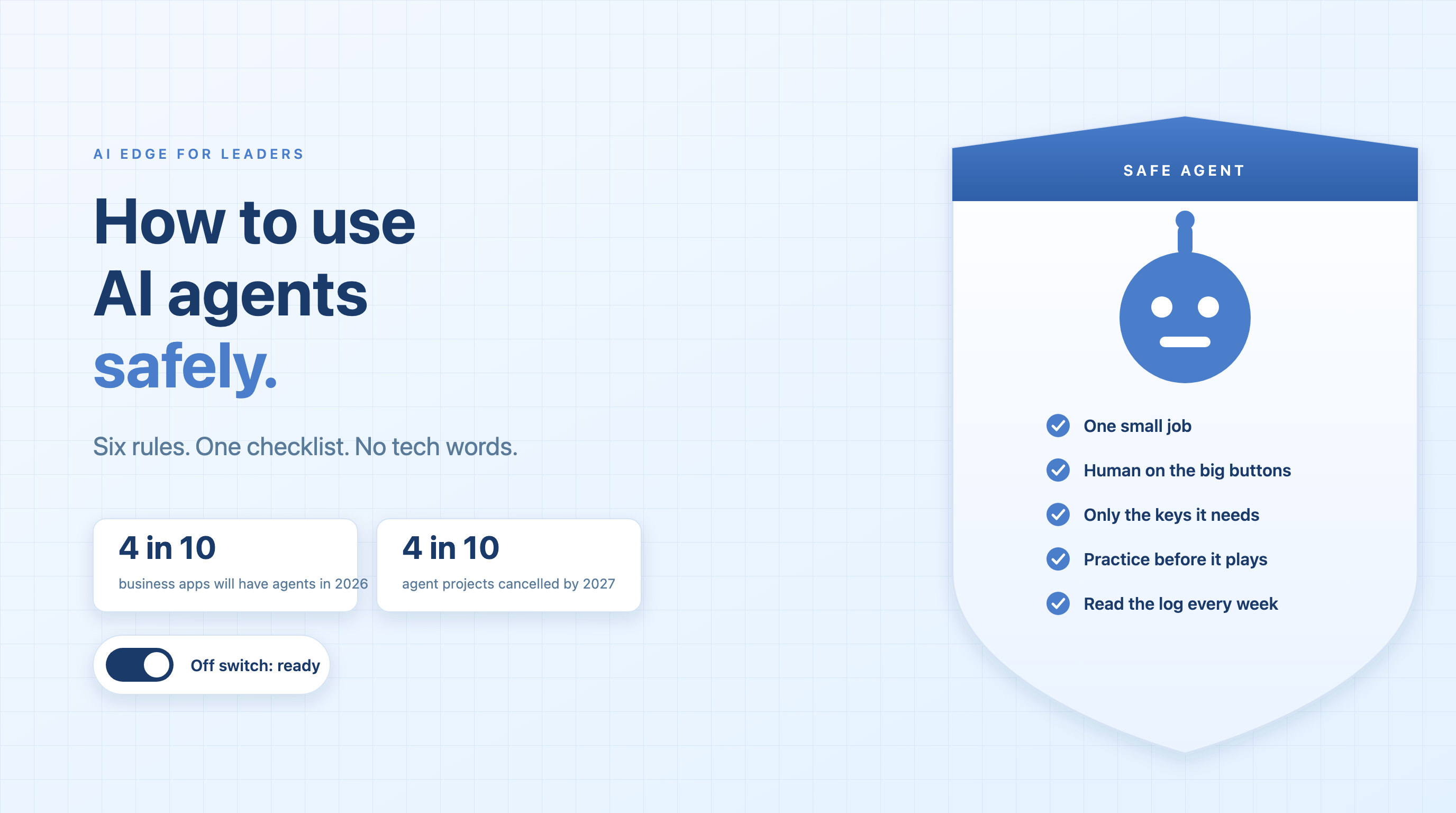
An AI agent is a computer program that can do a job by itself. You give it the goal. It figures out the steps. It can read your email, open your files, fill out forms, and send messages. Nobody has to click each step. That is exciting. It is also a little scary. A helper that can act on its own can also make a mess on its own. Most leaders I talk to are no longer asking, “Should we use agents?” They are asking, “How do we use them without getting burned?” This article is the answer. It is a simple playbook. No tech words. Six rules, one short story, and a checklist you can bring to your Monday meeting.
01 / What Is Changing
The computer stopped asking and started doing
For a long time, software did exactly what we clicked. Nothing more. Then came chatbots. They could talk and write, but a person still had to do the actual work. Now we have agents. An agent takes a goal, makes a plan, and does the work. It can book a meeting, pay a bill, answer a customer, or change a setting deep inside your systems. It does not wait for you between steps.
Think of the difference between a map and a driver. A map shows you the way. A driver takes you there. For years, AI was the map. Now it is the driver. And when you hand someone the wheel, you want to know they can drive.
This is happening fast. Gartner expects four out of ten business apps to include task-specific agents by the end of 2026, up from almost none a year earlier. The same firm warns that more than four out of ten agent projects will be cancelled by 2027. The top reasons are not that agents do not work. They are unclear value and weak risk controls. In plain words: companies are rushing agents out the door without a plan for keeping them safe, and then pulling the plug when something goes wrong.
You do not have to be one of those companies. The fix is not hard. It is mostly about doing a few boring things in the right order.
02 / Why It Matters
Four ways a helpful agent makes a mess
Agents rarely fail in dramatic ways. They fail in small, quiet ways that add up. Almost every real problem I have seen falls into one of four buckets. None of them needs a hacker. They just need an agent with too much freedom and nobody watching.
Look at what these four have in common. In each one, the agent was not evil or broken. It just had more freedom than it had earned, and nobody was looking. That is good news. Freedom and watching are both things you control.
An agent does what you said. Safety is making sure that matches what you meant.
03 / The Playbook
Six rules for using AI agents safely
You already know how to bring a new person into your company. You give them a small job first. You do not hand them the company credit card on day one. You check their work. You keep the right to let them go. Use the same common sense with agents. Here are the six rules, in the order you should apply them.
- Start with one small job. Not “run our customer service.” Instead, “draft replies to refund questions and show them to me before they go out.” A small job is easy to check and easy to undo. If the job cannot be described in one sentence, it is too big for a first job. Shrink it until it fits.
- Keep a human on the big buttons. Make a short list of actions that always need a person to say yes. Sending money. Deleting data. Emailing customers. Signing anything. Changing who can log in. The agent can prepare all the work. A person presses go. Over time, you can loosen this for actions the agent gets right every single time. And you tighten it right away for anything it gets wrong.
- Give it only the keys it needs. An agent should have its own login, never a person’s. If it only needs to read, do not let it write. If it needs one folder, do not give it the whole drive. If it can spend money, give it a limit. A simple test: if your scheduling agent can see payroll, something is wrong. Vendor agents get the exact same treatment as your own.
- Let it practice before it plays. Give the agent a practice field. A copy of your system with fake data. Run it there for a couple of weeks. Feed it messy inputs. Try to trick it with hidden instructions. Count how often it gets things right. Only when you like the score does it get to touch real data. Skipping this step is the single most common mistake I see.
- Write down everything it does. Every action, and the reason for it, in a log a normal person can read. Someone looks at that log every week. Set alarms for odd behavior: too many actions in an hour, actions at three in the morning, touching data it has never touched before. When something goes wrong, the log is the only way to know what really happened.
- Keep the off switch within reach. Know who can stop the agent, how long it takes, and what happens to work that is half done. Practice it before you need it, the way you practice a fire drill. If you cannot stop an agent in under five minutes, it is not ready to be running.
Six rules. None of them needs a new tool or a big budget. They need a decision, and someone whose job it is to care.
04 / What Good Looks Like
The scheduling agent that earned its freedom
Here is how the six rules look in real life. Picture a recruiting team that gets a new agent. Its job is to schedule job interviews. That is a great first job. It is one sentence long. The worst case is a bad meeting time, not a lost customer.
In week one, the agent only reads calendars and suggests times. A recruiter sends every email. The agent has its own calendar login. It can see open slots. It cannot see salaries, candidate notes, or anyone’s private events. It cannot delete anything. Before it ever met a real candidate, it spent two weeks on a practice calendar full of fake people, where the team tried to trip it up with odd requests and strange time zones.
By week three, the agent sends the emails itself, with a recruiter copied on each one. Every message it sends, and every slot it picks, shows up in a simple log with a one-line reason. On a Friday, a recruiter reading the log spots a problem. The agent had booked a candidate in Sydney for a 2 a.m. interview. A time zone mix-up. Nobody was hurt, because the recruiter caught it. The team added one rule: no interviews outside eight to six in the candidate’s local time. The agent never made that mistake again.
And the off switch? One toggle on a dashboard. The team tried it in week one, just to see. The agent stopped in seconds, and the half-finished emails sat in a draft folder for a human to deal with.
That is the whole story. Nothing fancy. A small job, a short leash, a practice field, a log someone reads, and a switch within reach. Six months later, that agent handles the whole scheduling load, and the recruiters spend their time talking to people instead of to calendars. It earned its freedom one small job at a time.
Trust is not something you give an agent. It is something the agent earns, one small job at a time.
05 / The Checklist
Seven questions to ask your team this week
You do not need to understand the technology to lead this well. You need to ask good questions and listen for short answers. Bring these seven to your next meeting about any agent, whether it is already running or still an idea.
The right answers are short. “I am not sure” is also a fine answer, as long as it comes with a date for finding out. The only wrong answer is “Don’t worry, the vendor handles that.” The vendor does not know your data, your customers, or your rules. You do.
06 / Conclusion
Safe is not slow
The companies that get hurt by AI agents will not be the careful ones. They will be the ones that skipped the boring steps because they were in a hurry. Safety rules are not the brakes. They are the seatbelt that lets you drive faster with a calm face.
Start with one small job. Keep a human on the big buttons. Give the agent only the keys it needs. Let it practice before it plays. Write everything down. Keep the off switch close. Do those six things, and you can say yes to agents without losing sleep. Agents are going to do more and more of the work in your company. The question is not whether to let them. It is whether they will have earned it when you do.
Adoption and cancellation figures are from Gartner’s 2025 forecasts on agentic AI. The six rules and the scheduling story draw on my own work building and deploying agents at ANCI AI.
Get AI scheduling insights, product news, and Bay Area community updates delivered to your inbox.
No spam. Unsubscribe anytime.